 digitizemypattern
Copy a pattern
before it tears.
The tissue you borrowed. The block your grandmother cut. The favourite you have traced so many times the edges have gone soft. Copy a sewing pattern with one photo instead of tracing paper, and it prints at exactly the right size this year and in ten years.
What this actually solves
Three ordinary problems with paper patterns, and what happens to each of them.
You have to give it back
A pattern lent by a friend or a guild goes home again. Photograph the pieces and you keep a copy that prints at the right size, without tracing the whole thing onto tissue first.
The paper is falling apart
Tissue tears, tape yellows, folds turn into holes. Once the shape is a file, the fragile original can go back in the envelope for good.
Your cutter needs a file
A Cricut or Silhouette will happily cut the piece, but only from a file. This gives you one without drawing it in design software.
Before and after
Real photo · real trace · nothing retouched
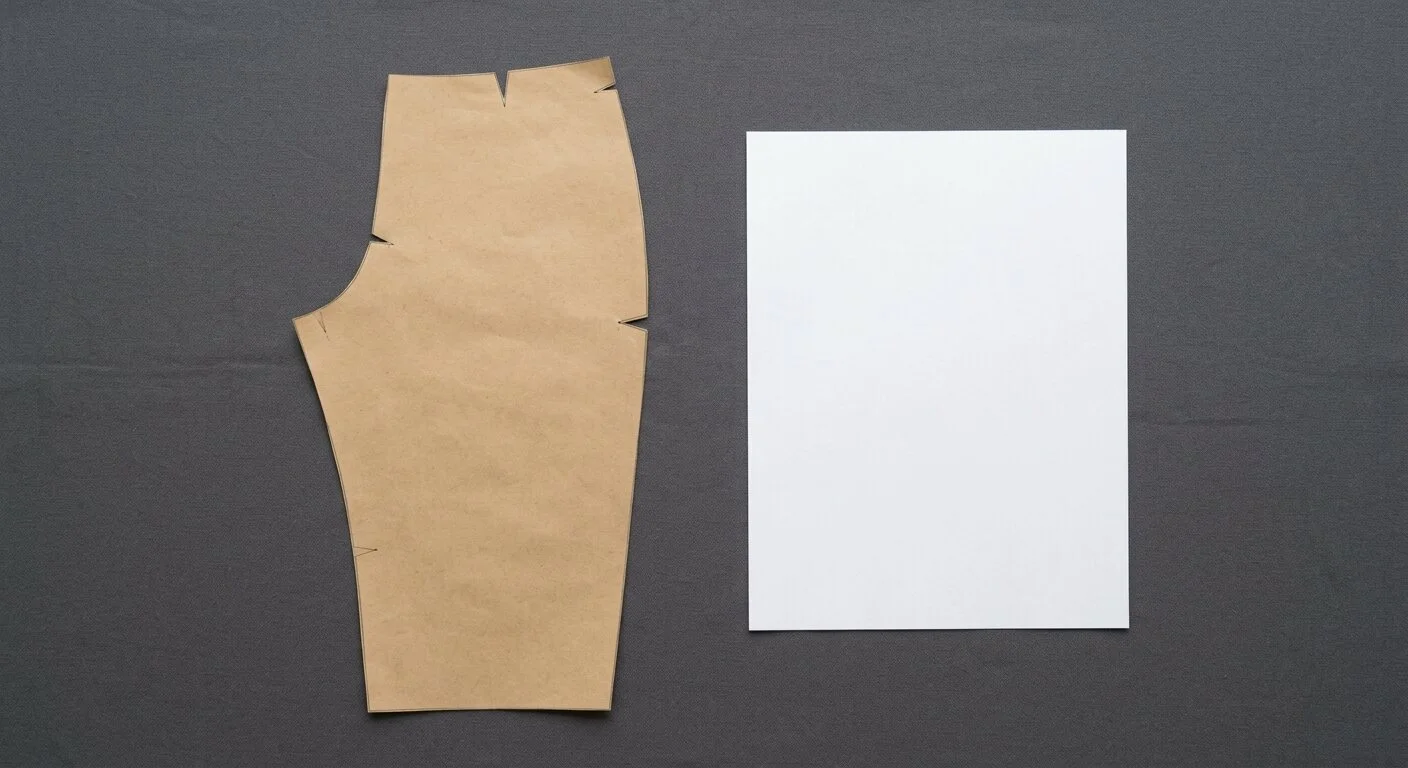
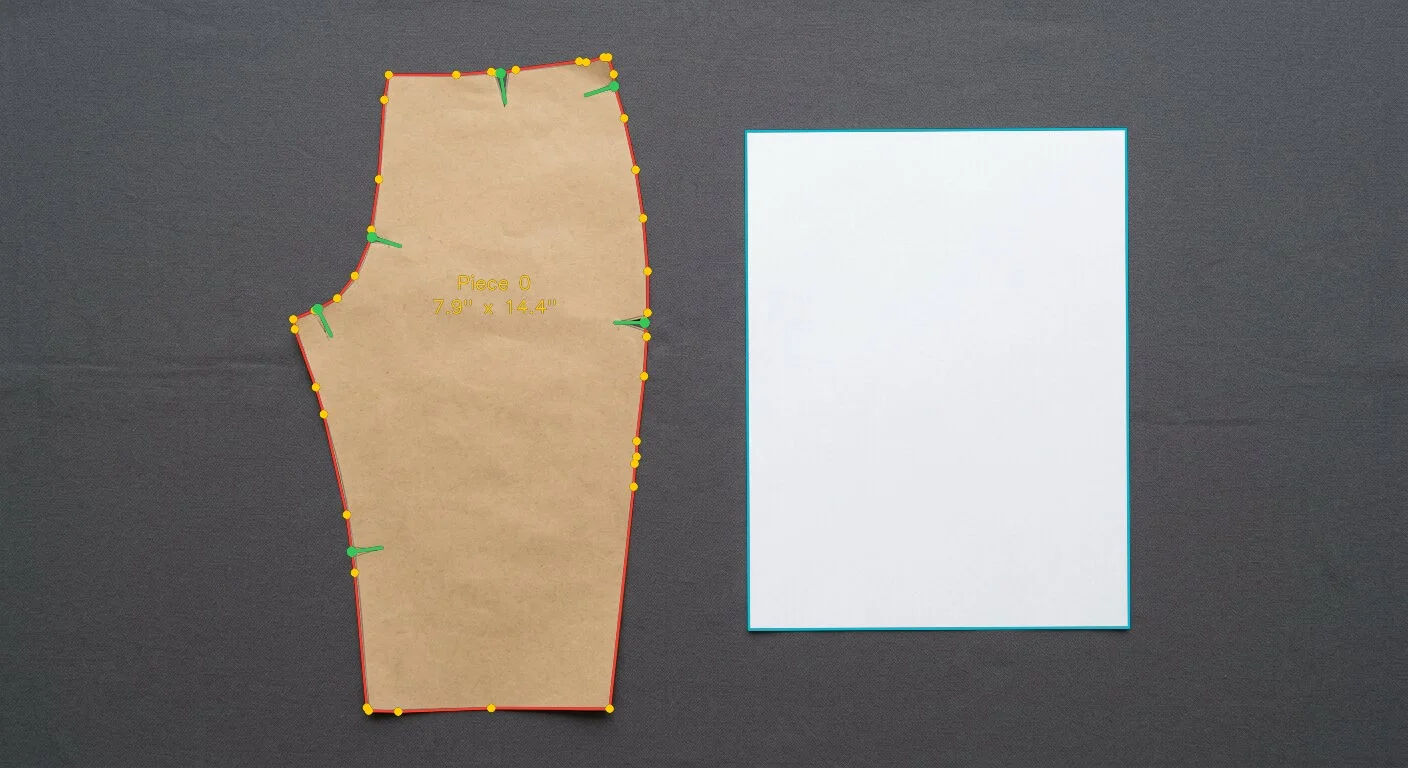
What you get back
Three files every time. Most people at home only ever open the first one.
Print it at home
The piece split across ordinary Letter or A4 sheets, ready to print, tape and cut on the floor.
- Test square so you can check the size
- Overlap and join marks on every edge
- Assembly map on page one
- No scaling settings to get wrong
Send it to a cutter
For plotters and cutting tables, with the DXF covering desktop machines.
- Cricut and Silhouette via DXF
- Graphtec, Roland, Mutoh
- Cut fabric or template plastic
- Repeat the same piece exactly
Keep it for later
The professional format, in case you ever hand the pattern to a shop or a grader.
- Opens in sewing CAD software
- Notches and grain kept separate
- Nothing locked to us
- Yours to store anywhere
Four easy steps
You need a phone, a table and one sheet of printer paper.
Lay it out
Pattern flat on a surface of a different colour, one sheet of paper beside it. That sheet tells us the real size.
Take one photo
Hold the phone straight above and take a single picture. Nothing to measure, nothing to set up.
We draw the outline
About a minute later the edge is traced and the notches are marked. This part is free.
Check and download
Move anything that is not quite right, then take the files. Print one page first to check the square.
Questions from home sewists
Do I need to be good with computers?+
No. It works in the browser on your phone, there is no account to create and nothing to install. If the outline needs a nudge you drag it with your finger.
Will it print at the right size?+
Yes, as long as you print at 100 per cent with no fitting or scaling. The first page carries a test square you can measure with a ruler before cutting anything.
What about tissue patterns that are see-through?+
Put something opaque and darker underneath, like a cutting mat or a dark towel, so the edge reads clearly. Flatten the folds first, they show up as bumps in the outline.
Can I do a whole multi-piece pattern?+
Yes, one photo per piece. Each piece is priced separately, so you can start with the one you need most and add the rest later.
Other benches
Start with the pattern you would hate to lose.
Free while the demo runs. If the outline is not right, you fix it yourself.