 digitizemypattern
Full size, one sheet
The piece at true scale for a copy shop or a wide printer. Nothing to assemble.
The draft is the part you love. Retracing it in software so it can be graded, tiled and listed is the part that eats the weekend. Photograph the piece instead.

What your buyer downloads
The piece at true scale for a copy shop or a wide printer. Nothing to assemble.
Home printer pages with trim marks and page numbers, taped up the usual way.
Clean outline with notches and grain on their own layers, ready to grade.
Three reasons a finished draft sits in a drawer instead of a shop listing.
Rebuilding a drafted piece point by point in software is hours of work that adds nothing to the design. A photo gets you to the same outline in about a minute, and you spend the time on the curve that actually needed attention.
A tiled PDF that prints at the wrong size costs you a refund and a review. Ours carries a test square, join marks on every edge and an assembly map, so a customer can prove the scale before cutting.
Buyers ask for the PDF, factories ask for the DXF, cutting-machine owners ask for something their software reads. Every run gives you all three from the same geometry.
Real photo · real trace · nothing retouched
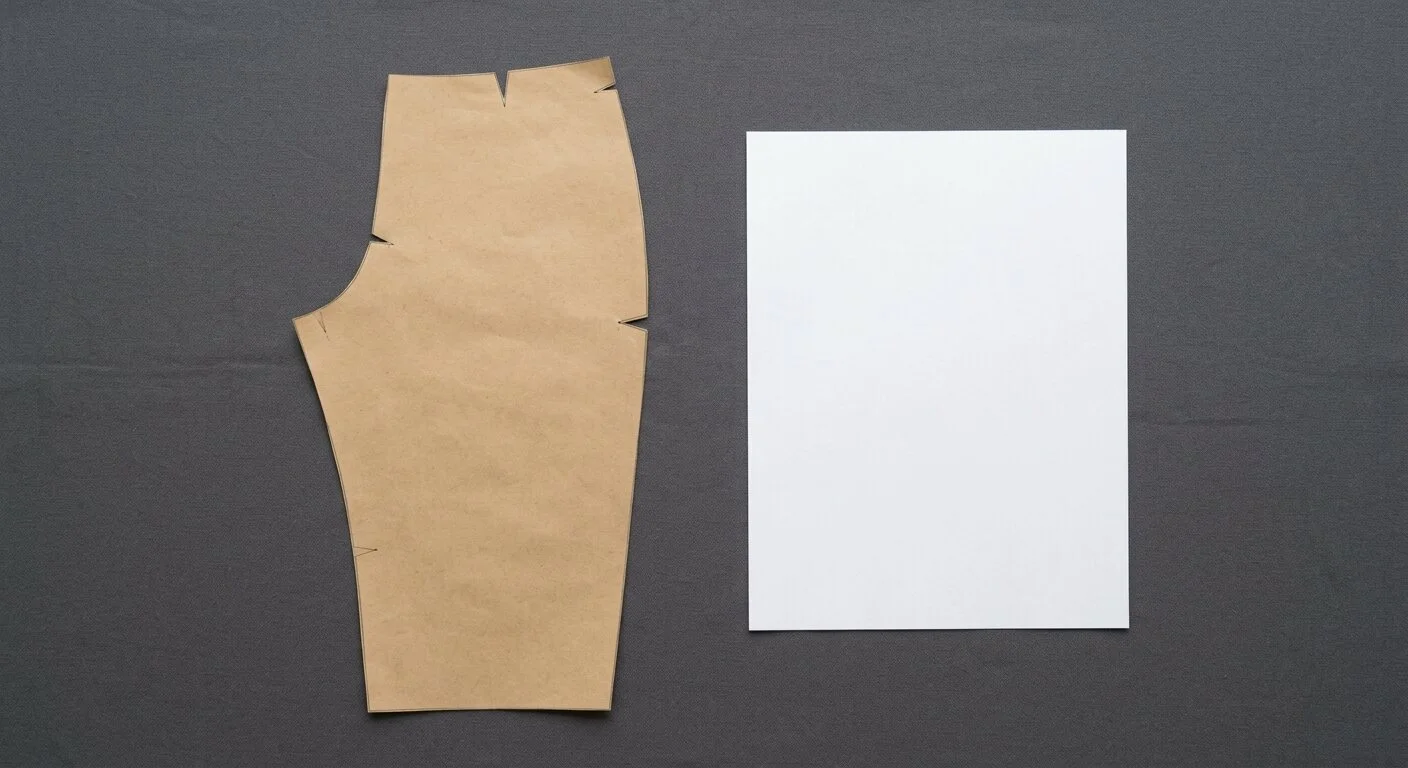
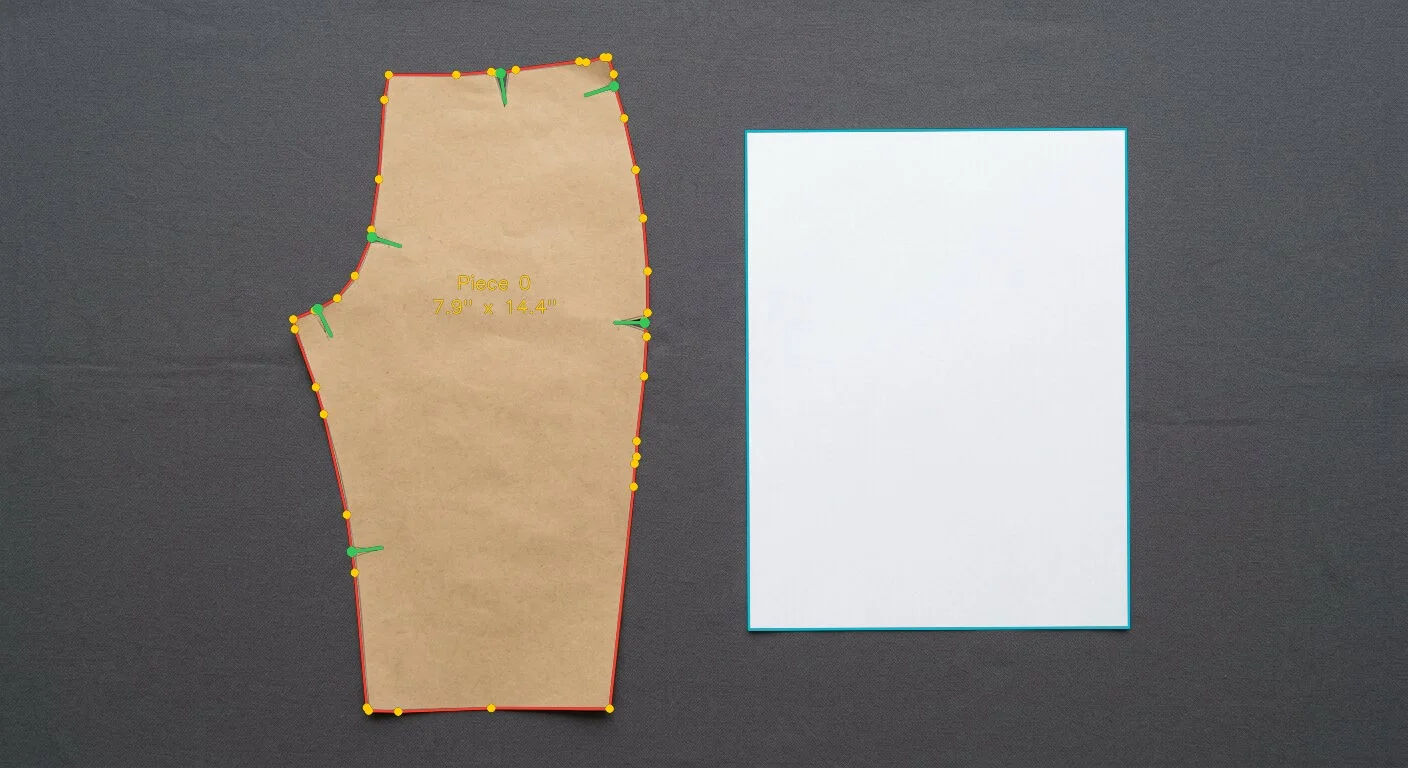
Split across Letter or A4 sheets with a 0.4 in overlap, join marks and an assembly map, so taping it up is obvious.
AAMA / ASTM layers with cut line, notches and grain kept separate, so grading starts from real geometry.
HPGL for plotters, and the DXF covers desktop machines your customers already own.
Four steps on a kitchen table, no software to learn.
Piece flat, one sheet of paper beside it, phone straight above. Even light beats bright light.
Smooth the curves you drew by hand, place notches exactly where you want them.
PDF for the listing, DXF for grading, PLT for anyone cutting on a machine.
Check the test square with a ruler before you publish. It takes a minute and prevents refunds.
The trace follows the paper edge, so a wobble in the pencil line shows up as a wobble in the outline. In the editor you can bend a whole segment into a true curve in one move rather than nudging points one by one.
Not yet. We digitize the piece exactly as it is on the paper. If your draft already includes allowance, so does the file; if it does not, add it in your own software.
Yes. The PDF is tiled on the same paper as the sheet in your photo, Letter or A4, and you pick it at upload. For customers on the other size, photograph the piece again with that sheet and you have both files for the same listing.
Entirely. Your photos and traces stay private to you and are never shared or sold. We keep one working copy of the tracer output, your corrections and the photo, with no name or email attached, and use it only to make the tracing better.
Free while the demo runs. Fix the trace yourself if it is not right.